

Pocket WinLoG has revolutionized the way borehole and well data is collected in the field. It has never been so easy to enter borehole data and create logs. You are guaranteed to reduce hours of data entry and editing by selecting a pre-designed template and using the quick macros provided in the program. Once all your information has been inputted, you can upload or email the data to your desktop for further editing and printing.
Page Content
How will Pocket WinLoG benefit you?
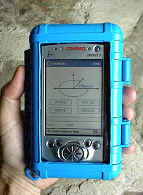
Just imagine going into the field with a mini computer. It’s lightweight and fits in your pocket. You start collecting your borehole data and enter it into the Pocket WinLoG program. With a few easy clicks you’re finished. No paper, no pens. When you go back to the office all you have to do is upload the information to your desktop. That’s it. Your log is completed. Your finished product is a professional full color report.
We know time is money. We want to help you spend more time pursuing clients, preparing presentations and doing what you do best – making money. Don’t waste needless amounts of time going back and forth. Consider these benefits:
-
Pocket PC’s are compact and easy to carry in the field.
-
Pocket WinLoG is easy to learn and easy to operate.
-
It will reduce the time needed to create borehole logs.
-
The data you’ve collected will be more complete and accurate.
-
Complete logs within minutes using the macros in Pocket WinLoG.
-
Pocket WinLoG saves data automatically once entered, so you never have to worry.
-
You can upload data onto your desktop for further editing/printing of borehole logs.
-
You can email data from remote sites.
-
Pocket WinLoG is a low cost software that produces high quality and quantity of work.
Best of all, you won’t have to write or type the same information twice
Pocket WinLoG runs on a Pocket PC. Pocket PC’s have Microsoft Word, Outlook and Excel already installed . You can manage your contacts, your calendar and even your inbox. All the information can be shared with your desktop.
Data Entry Features
Easy data entry screens for doing field work.
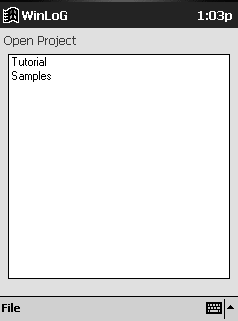
Use the stylus pen to easily enter any data into your logs.
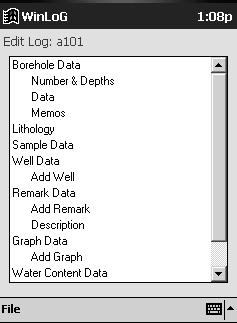
From the menu tree form, select the data type required and enter log data in the form.
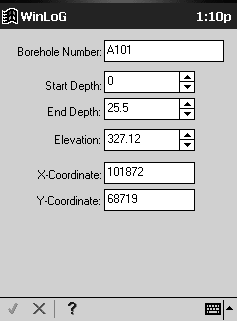
Form screens include tabs, scroll bars, arrow, add & minus, macro, help buttons, select text and keyboard features for you to input all data without changing the screen of your log.
All of the data once entered on the form is automatically saved into your logs.
Use Pocket WinLoG templates for quick
borehole data entry.
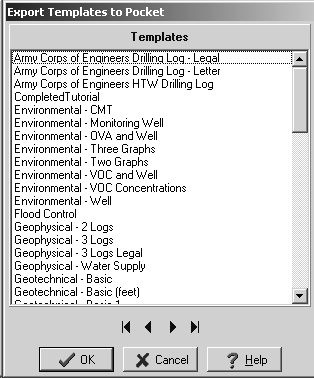
Download your WinLoG templates to your Pocket PC for quick data entry in the field.
Pocket WinLoG can store an unlimited number of templates previously designed in the WinLoG desktop version.
Pocket templates are represented on the menu tree form, displaying the types of data that can be entered for the log.
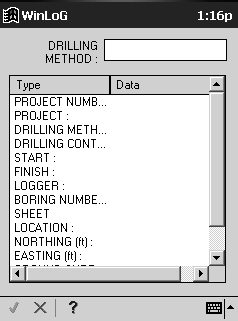
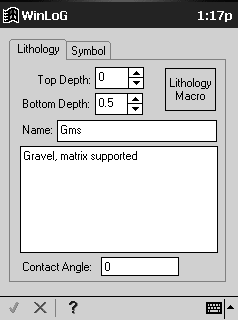
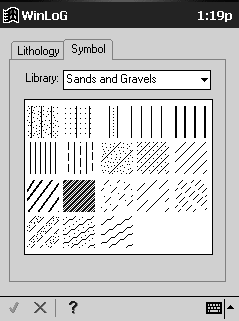
Create an unlimited number of logs for each project
Borehole data is stored within a project, with no restrictions to log design.
Save all logs individually within a project.
Borehole data can contain: general header and footer data, borehole depths, elevation, lithologies, samples, well data, remarks, graphs, water contents, core, symbols, and memos.
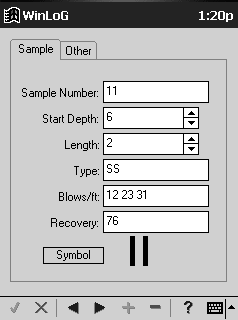
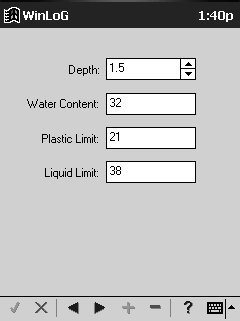
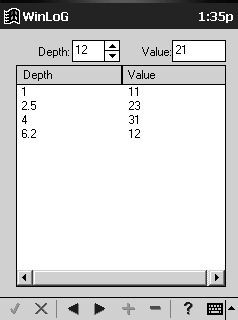
Borehole logs can be completed on quickly and easily on-site
Copy a previous log completed and easily edit the data to create a new log.
Click on the macros button in the lithology and well information forms for quick and easy data entry.
Add or remove wells, remarks, graphs in your logs.
General header and footer information is filled out on the initial form from your template.
Unlimited number of text characters in lithology and remarks columns.
Choose contact angles, symbols, and or macros to complete lithologies.
Input sample information, symbols, values, by borehole depth.
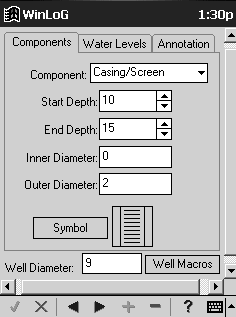
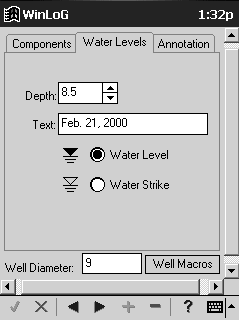
Choose various symbols from the libraries for strata, sample, well components and core data
Download as many library symbols required to complete your logs.
Symbols are easily viewed on screen, when selected individually shows on the form with the data.
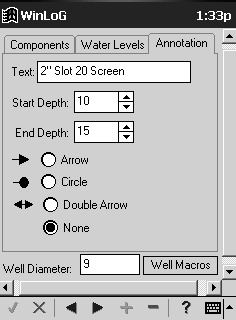
Complete well diagrams in the field by choosing your well type, including annotations, water levels,
well components or use a well macro for quick data entry.Enter graph data easily by depth and value.
Data Storage Features
Pocket WinLoG has been specifically designed for the Pocket PC and has a very small program size, approximately 350 kb.
To reduce the storage requirements to a minimum all log data, template, and macro data are stored as binary files, typical borehole log files are 2 to 10 kb.
An average of 200 logs can be stored in 1 MB of memory.
Data Transfer Features
Use Microsoft ActiveSync to synchronize Pocket WinLoG with your desktop to upload and download data easily and quickly.
Email your Pocket WinLoG data from remote sites to the office for editing and printing in the desktop version of WinLoG.
Easily select the templates and symbol libraries in WinLoG to download to Pocket WinLoG.
All lithology and well macros can be download to Pocket WinLoG using a simple menu command in WinLoG.
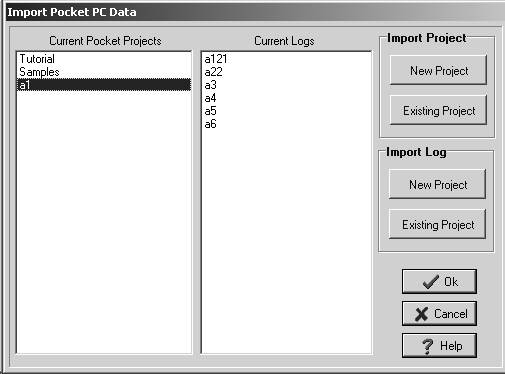
Entire projects or individual logs can be imported from Pocket WinLoG into either new or existing projects in the desktop version of WinLoG.
Technical Requirements
Pocket WinLoG has been designed to run on a variety of pocket computers. Below are the software and hardware requirements for the program.
Software Requirements
On the Pocket PC:
Microsoft Windows CE 3.0 (Windows Powered Pocket PC)
On the desktop:
WinLoG version 3.11 or higher
Microsoft Windows 98/2000/NT or XP
Microsoft ActiveSync version 3.5 or higher
Hardware Requirements
On the Pocket PC:
minimum of 16 MB or memory
On the desktop
minimum of 64 MB of memory
minimum of 64 MB of free disk space
CD-ROM drive.